
Event statuses: Draft, Live and Promoted
An event's status decides who can see its gallery. Switch it from the Overview tab of the event page.
The statuses
| Status | Who sees the gallery |
|---|---|
| Draft | Only you, while you're logged in. Everyone else sees an "Event photos for … are not quite ready yet" page. |
| Live | Anyone with the link. |
| Promoted | An extra flag on top of Draft or Live. It marks one event as your featured event. It doesn't change who can see the gallery. |
Every new event starts as Draft. Because the Draft page is a valid page, you can share the gallery link before the photos are uploaded and reviewed.
Go live
- Open the event and go to the Overview tab.
- Turn on the Live switch in the status card.
- Confirm. The header badge changes to Live.
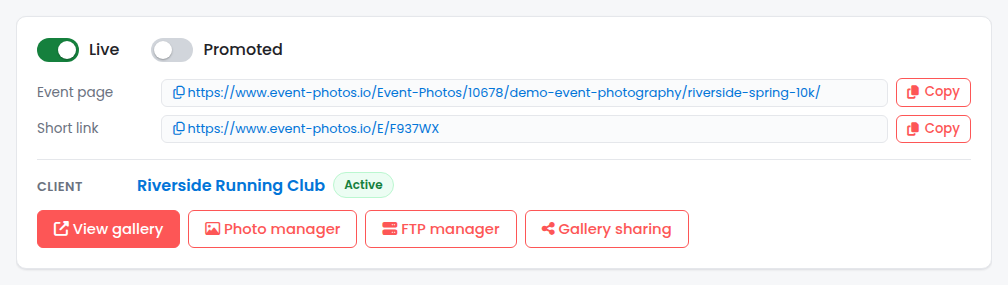
To take the gallery down again, turn Live off and confirm. The event goes back to Draft.
Promote an event
Turn on Promoted and confirm. You can promote only one event at a time, so promoting one event stops promoting the others.
Tips
- While logged in, you see the full gallery even for a Draft event. To check what the public sees, open the link in a private window.
- Deleted is not a status you can switch. See Delete an event.