
Photographers
The Photographers page is your team list. Use it to add people, keep their details up to date, and find who's available near an event.
Add a photographer
- Open Photographers and click New photographer (or Add a photographer if your team is empty).
- Enter the First name, Last name, Email address and Phone number.
- Click Add photographer.
The display name is set to "First Last", and you can change it later. Each email address can only be used for one photographer in your account.
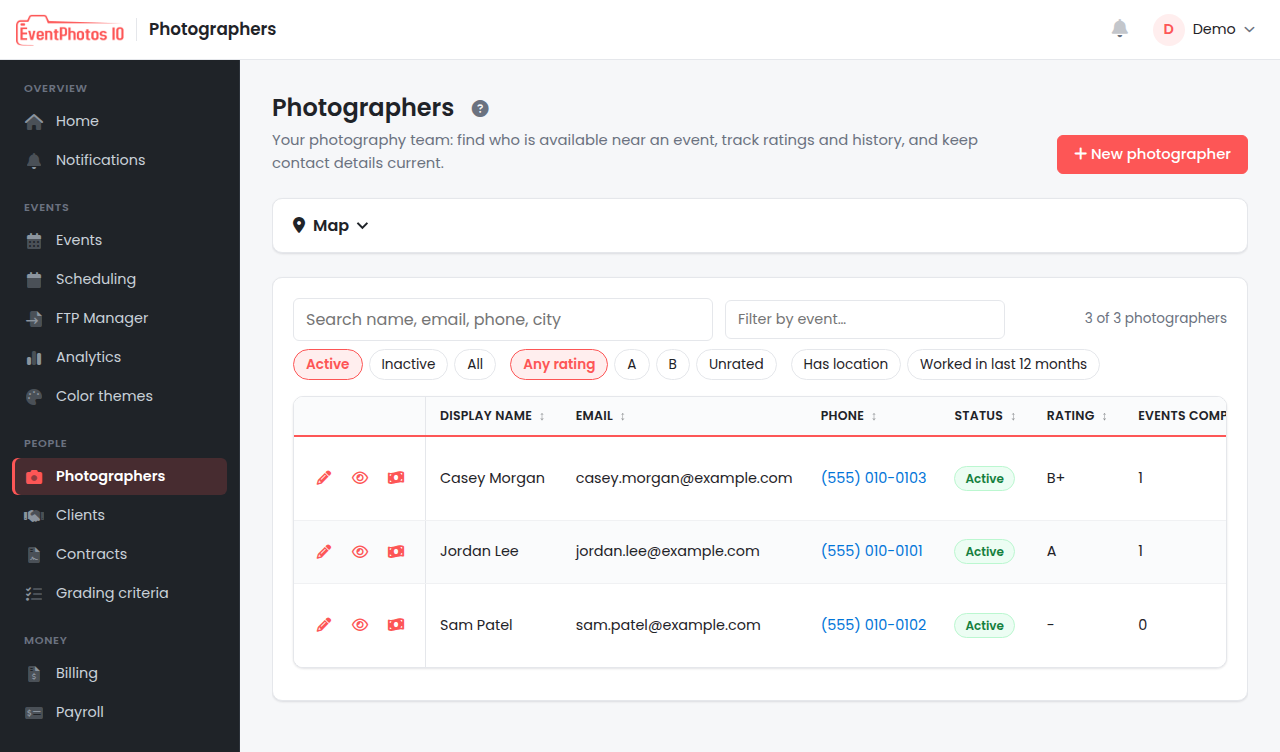
Find photographers
- Search looks through names, emails, phone numbers and cities.
- Filter by event… shows the people who worked a particular event.
- Status chips: Active (the default), Inactive or All.
- Rating chips show the grades your team actually has, plus Unrated.
- Has location and Worked in last 12 months narrow the list further.
- Clear filters resets everything.
The table shows 25 photographers per page.
Find people near an event
- Open the map card.
- Click the map, search an address, or choose Near event…. That list shows upcoming events with a mapped address, up to 12 months ahead.
- Pick a radius of 25, 50, 100 or 200 miles. The default is 50.
The table is filtered to people within the radius and sorted by straight-line distance. You can drag the pin to move the center. Address searches are limited to 30 an hour.
Edit or deactivate
Click Edit on a row to change contact details or the Status. Inactive photographers can't be assigned to new events and are left out of "closest available" suggestions.
Upload links
Photographers assigned to an event appear under "Who are you?" on its upload link pages. Send a photographer a link from the event's Setup › Getting photos in › Web uploads tab.
Mobile app invites
To let a photographer upload from a camera plugged into their phone, invite them from the event's Setup › Getting photos in › Mobile app uploads tab. Photographers assigned to the event can be named on the invite, or picked in the app. See Uploading from the mobile app.
Rules
- First and last names use letters, spaces, apostrophes and hyphens, up to 32 characters each.
- Phone numbers need 7 to 15 digits.
- The map needs a city, state and postal code. Changing the address re-maps the photographer.